
WP Supabase Integration:The Complete WordPress–Supabase
WP Supabase Integration:
The Complete WordPress–Supabase
Authentication & Sync Framework
A fully native WordPress plugin that connects WordPress with Supabase — authentication, two-way sync, role mapping, webhooks, and magic login. No custom API development required.
What Is WP Supabase Integration?
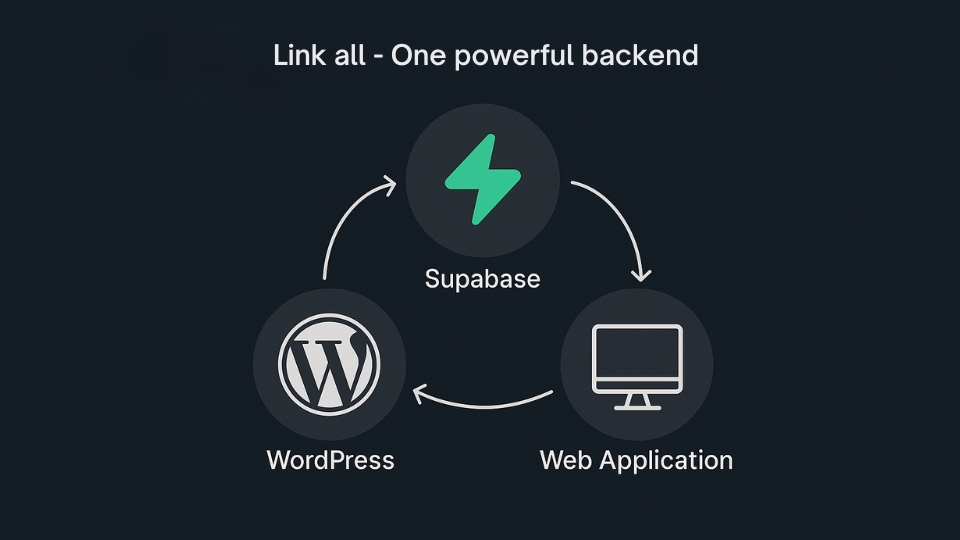
WP Supabase Integration is a fully native WordPress plugin that securely connects WordPress with Supabase using authentication, webhooks, Edge Functions, role mapping, and real-time two-way user synchronization — without custom API development.
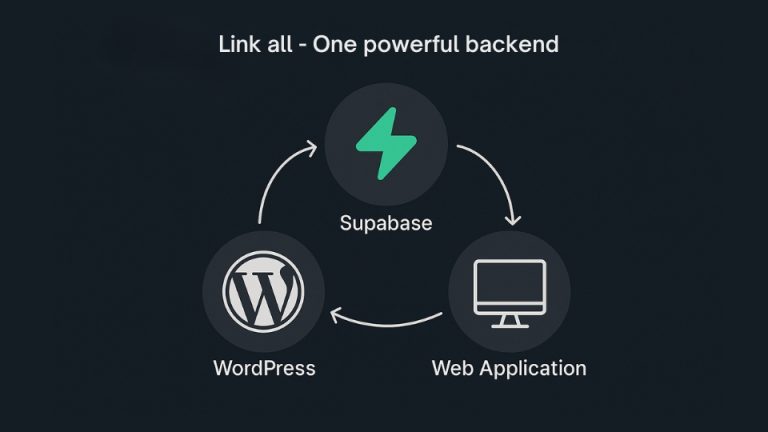
It transforms WordPress + Supabase into one unified user management system. Instead of wrestling with custom PHP, fragile REST bridges, and manual JWT handling, you get a complete, production-ready architecture inside the WordPress admin — configured in under 5 minutes.
Ready to connect WordPress & Supabase?
Install in minutes. No code required. Built for production.
Why WordPress + Supabase Needs a Proper Integration Layer
Supabase is a modern backend built on PostgreSQL — offering built-in authentication, JWT support, Realtime subscriptions, Edge Functions, and role-based access control. WordPress powers content, SEO, WooCommerce, LMS systems, and membership platforms.
The challenge? They were never designed to talk to each other natively.
Common Pain Points
- JWT mismatch between systems
- No two-way user synchronization
- Broken Google login redirects
- Role conflicts & access confusion
- Subscription status delays
- Manual webhook validation
- No monitoring or debug tools
Architecture-Level Solutions
- Secure AES-256 credential management
- Real-time two-way user sync
- JWT-based magic login flow
- Centralized role mapping engine
- Instant subscription status updates
- Verified webhook security
- Built-in event log & diagnostics
Core Features Inside WP Supabase Integration
1 Configure Supabase Credentials
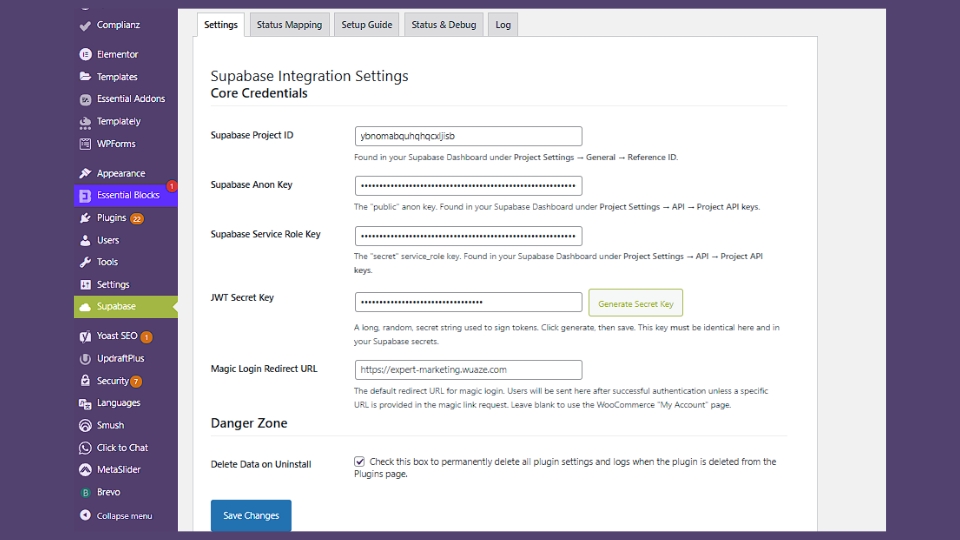
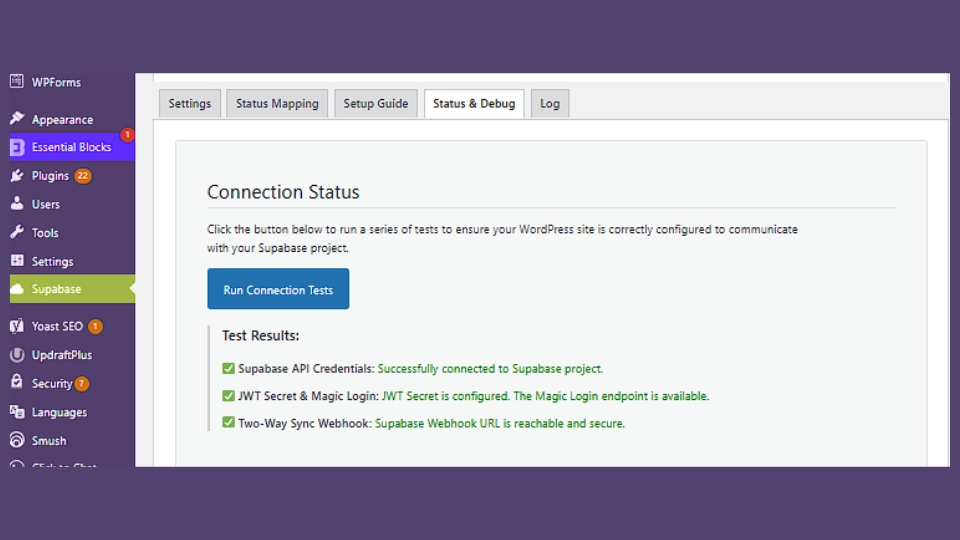
Instead of building fragile REST bridges, the plugin provides a clean admin panel to connect your WordPress site to Supabase. Add your Project URL, Public Anon Key, and Service Role Key, then run a one-click connection test to verify everything works.
All credentials are encrypted using AES-256-CBC encryption — no exposed keys, no client-side leakage, production-ready security from day one.
2 Role Mapping Rules
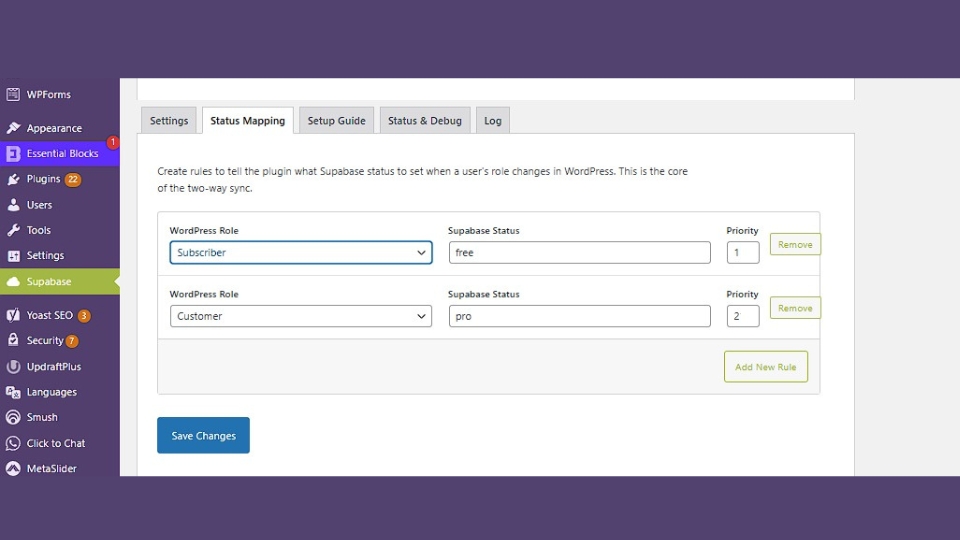
Centralized role mapping — define the logic once and it applies automatically across every sync operation:
Supabase → WordPress
Map pro → member, student → subscriber, premium → administrator with zero code.
Developer Hooks
Override mapping logic using WordPress filters. Full extensibility without touching core files.
Prevents Conflicts
No access confusion, duplicate role logic, subscription mismatches, or SaaS permission errors.
Advanced users can customize mapping logic with a simple filter:
// Customize role mapping logic via filter
add_filter('wpsupai_map_remote_role', function($wp_role, $supabase_user) {
    if ($supabase_user->user_metadata['plan'] === 'premium') {
        return 'administrator';
    }
    return $wp_role;
}, 10, 2);
3 Profiles Table & Trigger Automation
When a new user signs up in Supabase, the entire pipeline runs automatically:
Auth User Created
Supabase creates the auth record and fires the profiles table trigger.
WordPress User Auto-Created
The plugin receives the webhook and creates the matching WordPress user.
Role Mapping Applies Instantly
Configured mapping rules assign the correct WordPress role — no cron jobs, no delays.
4 Magic Login Edge Function
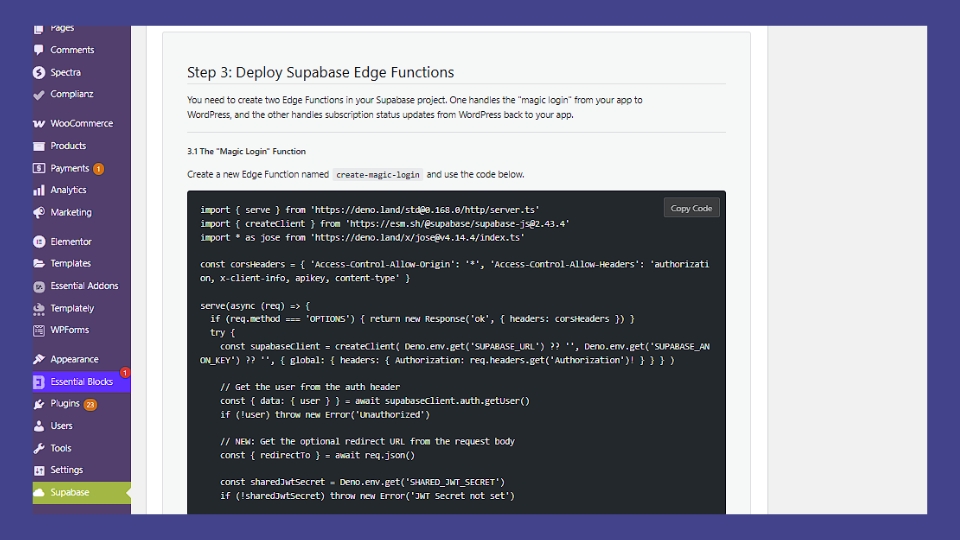
Passwordless login via Supabase Magic Login and Edge Functions — a complete, secure flow:
- User enters email address
- Secure magic link is sent via Supabase
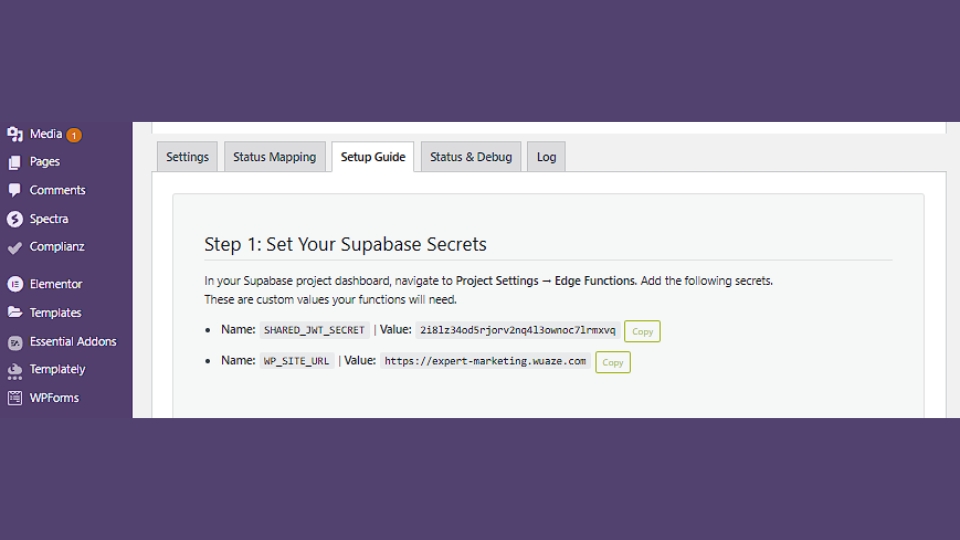
- Redirect is validated with shared secrets
- JWT session is created in WordPress
- WordPress role is updated instantly
Perfect for React apps, Next.js dashboards, SaaS products, and membership sites.
5 Two-Way Sync via Secure Webhooks
True two-way sync — every user action on either platform reflects on the other in real time. Each webhook request is verified using shared secrets to prevent fake triggers and malicious API calls.
Supabase → WordPress
Supabase signup automatically creates a WordPress user with the correct role.
WordPress → Supabase
WordPress registration creates the Supabase auth user — both systems stay aligned.
6 Subscription Status Real-Time Updates
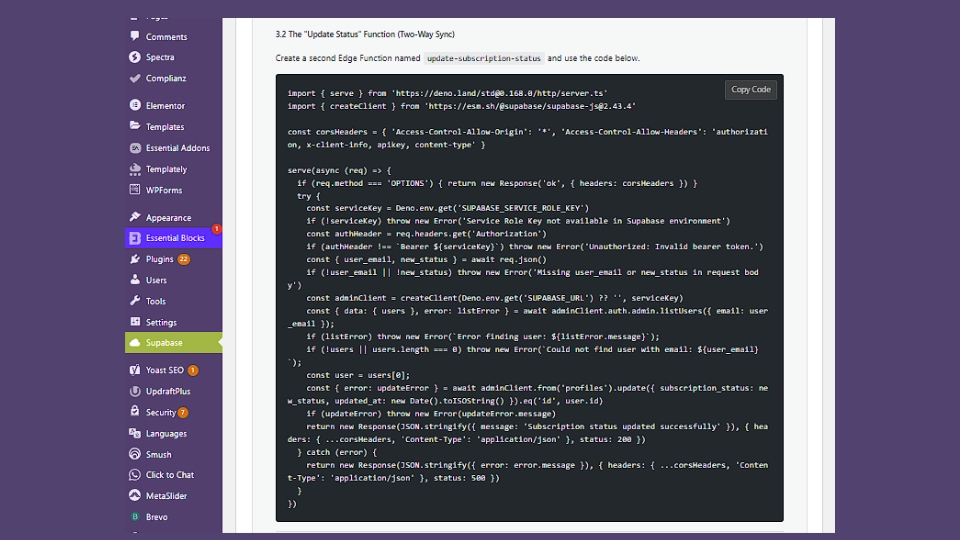
For SaaS & WooCommerce environments, subscription changes propagate instantly:
Payment Processor Update
Stripe (or other gateway) updates the subscription state in Supabase.
Supabase Triggers Webhook
The Edge Function fires the secure webhook to WordPress.
WordPress Role Updates Immediately
No delay, no broken access, no manual intervention.
7 Add “Manage Billing” Button
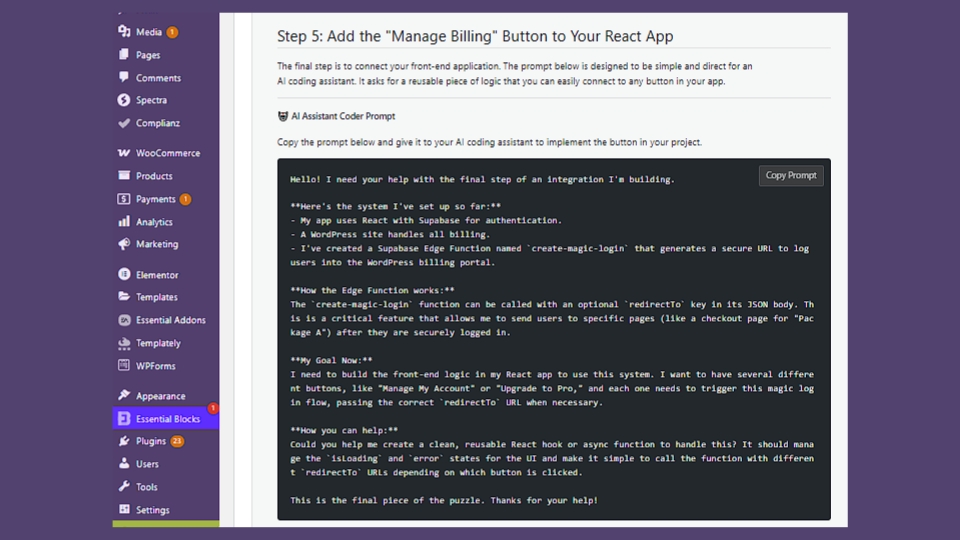
If you’re using React, Vue, or Next.js — you can generate secure magic login links from your frontend app to open the billing portal, manage subscriptions, or update payment methods, without exposing any credentials.
8 Built-In Event Log
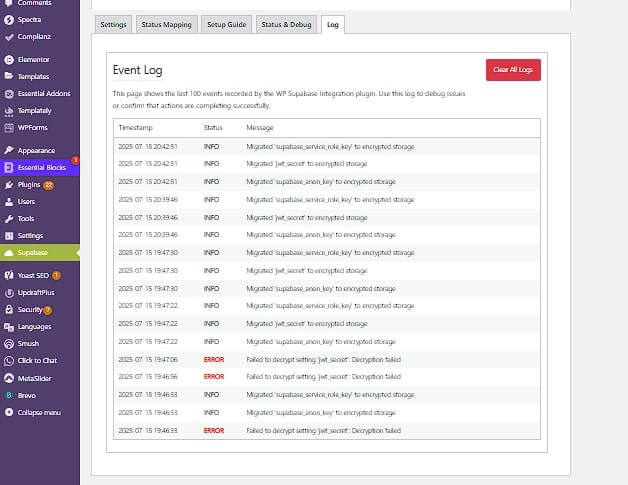
The plugin records the last 100 actions — user sync events, role updates, webhook triggers, subscription changes, and error messages. You always know what triggered, when it triggered, and whether it succeeded.
Who Is This Plugin For?
The plugin is designed for modern web architects building on both platforms simultaneously.
Frontend Applications
React, Vue, or Next.js apps using Supabase for auth but needing WordPress for content and SEO.
Membership & LMS Platforms
Real-time access level control with synchronized user roles across all systems.
WooCommerce Stores
Sync customers between WordPress and your Supabase backend seamlessly.
SaaS Products
Subscription logic, user flows, onboarding automation, and billing management.
Community Platforms
Unified login and role management across frontend and WordPress backend.
Developers
Supabase as backend, WordPress for content and marketing — one secure integration layer.
Why This Is Not “Just Another” Integration Plugin
Most integrations offer basic API connections, one-direction sync, and no monitoring. Here’s the difference:
| Feature | Other Integrations | WP Supabase Integration |
|---|---|---|
| Full authentication framework | ✗ API only | ✓ Built-in |
| True two-way sync | ✗ One-direction | ✓ Real-time |
| Magic login / passwordless | ✗ Not supported | ✓ Edge Function |
| Role mapping engine | ✗ Manual | ✓ Automated |
| Secure webhook validation | ✗ None | ✓ Shared secrets |
| Built-in diagnostics & logs | ✗ None | ✓ Last 100 events |
| Enterprise encryption | ✗ Plaintext keys | ✓ AES-256-CBC |
| Developer hooks & filters | ✗ Closed system | ✓ Full extensibility |
Pricing Structure
Simple, transparent pricing. No hidden fees, no per-user charges, no surprises.
| License | Sites | Includes | Price |
|---|---|---|---|
| Yearly License | 1 Site | 1 Year Updates & Support | $59/year |
| Lifetime LicenseBest Value | Unlimited Sites | Updates & Support Forever | $149one-time |
For agencies and SaaS founders, the lifetime license is extremely cost-effective compared to custom API development — which can easily run $5,000–$20,000 to replicate the same functionality.
Start Building Today
One payment. Unlimited sites. Updates forever. No subscriptions required.
Frequently Asked Questions
- AES-256-CBC encrypted credentials
- JWT-based authentication flow
- Webhook shared secret validation
- Rate limiting on all endpoints
- Hardened security headers
- Sanitized, privacy-safe event logs
- Install and activate the plugin
- Paste your Supabase credentials
- Run the built-in connection test
- Optionally enable two-way sync with one webhook
Final Summary
Ready to Finally Bridge WordPress & Supabase?
Your frontend. Your backend. Seamlessly integrated. No more patches, no more guesswork — just secure, stable, real-time two-way sync.

One Comment